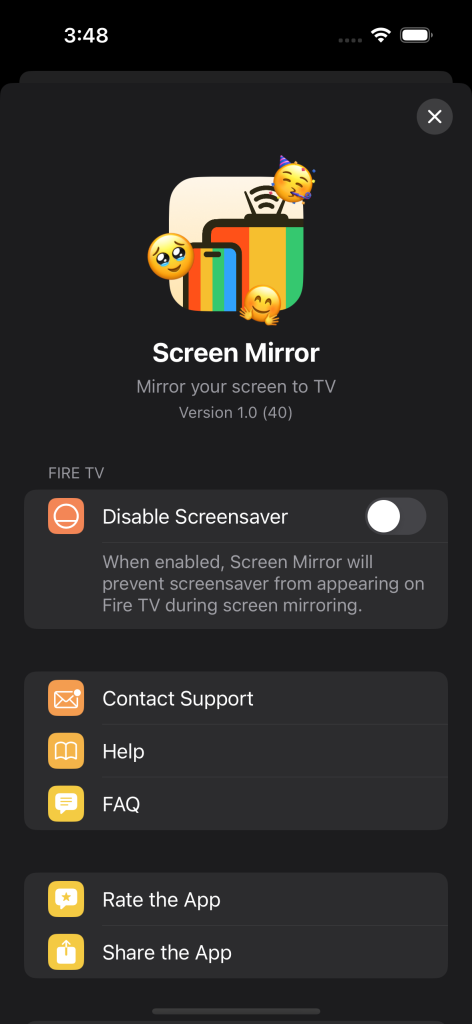
This happens because Screen Mirror App prevents the screensaver from appearing on Fire TV. To prevent the loading indicator from showing, you need to:
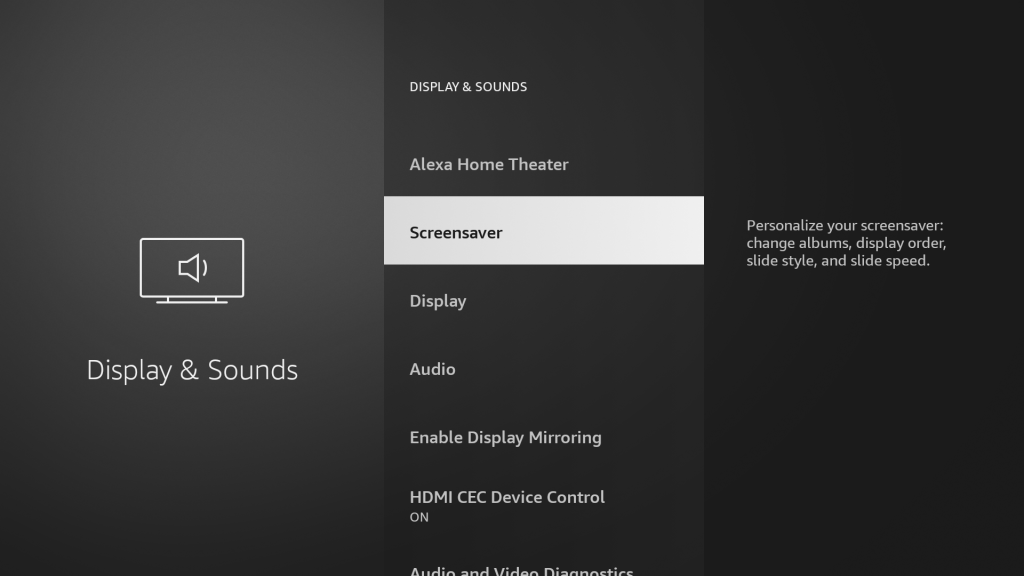
- Disable the screensaver in the Fire TV settings:
Display & Sounds > Screensaver > Start Time > Never
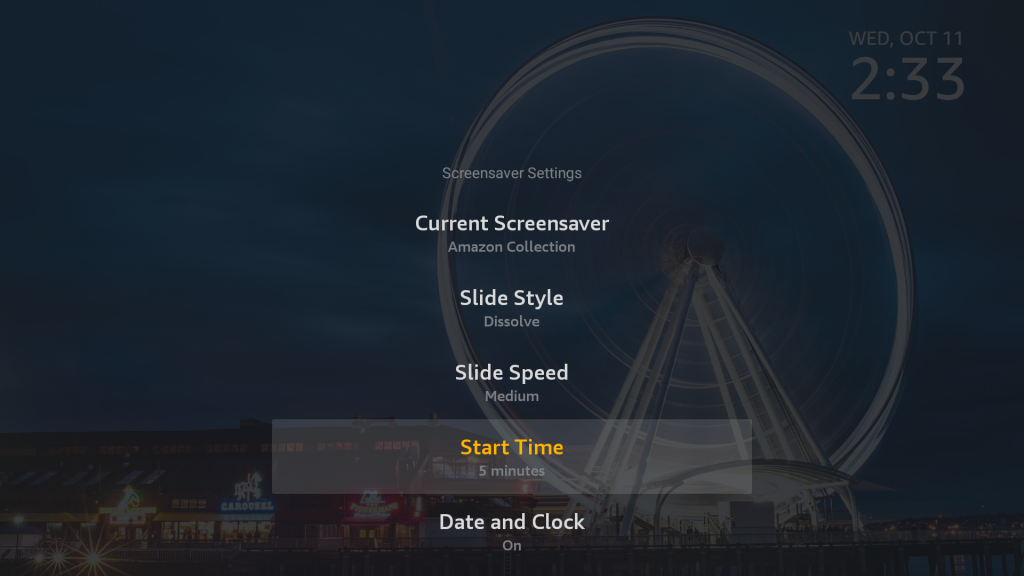
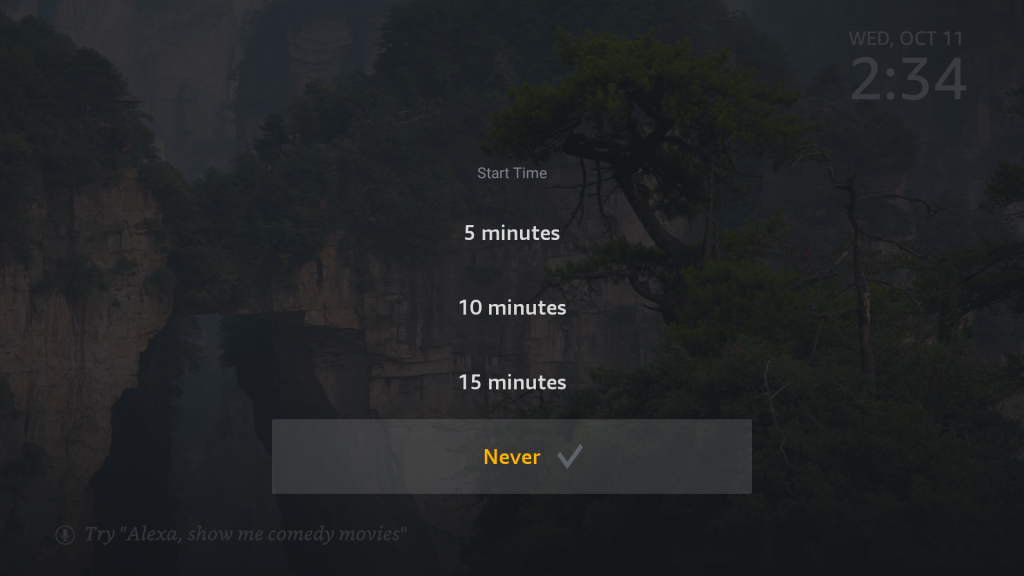
Note: By default, Start Time is set to 5 minutes. -
Turn off the “Disable Screensaver” option in the Screen Mirror App settings.